April 30, 2026 ⏱️ 8 min
By Emanuel B. (RnD – Mobile Group)
A technical guide to understanding PWAs — their architecture, real-world trade-offs, and when to choose them over cross-platform frameworks.
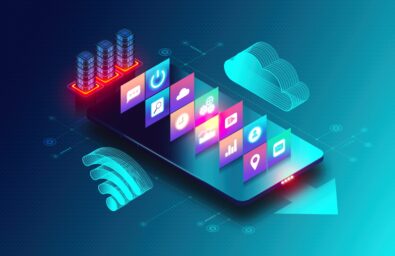
A Progressive Web App (PWA) is a high-performance website that looks, feels, and behaves exactly like a mobile app. It combines the massive reach of the open web with the rich features of a native application, such as offline access, push notifications, and home-screen icons, without requiring users to visit an app store.
For businesses, it represents the ultimate “best of both worlds”: the power of an app with the accessibility of a website.
Why PWAs Matter for Mobile Teams
The case for PWAs goes beyond developer convenience. They reshape how organizations think about deployment, distribution, and long-term maintenance.
- Unified deployment – By bypassing app stores, organizations eliminate commission fees and reduce exposure to platform policy risks, delivering updates through existing web infrastructure.
- Accelerated iteration – Instant deployment of fixes and features, no review cycles, no waiting. Teams can experiment and roll back in real time.
- No version fragmentation – Users always access the latest version, eliminating technical debt from outdated clients.
- Zero-friction acquisition – Access via URL or QR code, with the full benefit of search engine discoverability.
- Resilient offline capability – Through caching and background sync, PWAs maintain functionality offline and complete user actions once connectivity is restored.
- Cross-platform efficiency – A single codebase delivers a consistent experience across mobile, tablet, and desktop. No separate platform teams needed.
- Strategic cost savings – Reduced development overhead with access to a broader web development talent pool.
Core Building Blocks of a PWA
A PWA is built on three mandatory technical pillars, supported by a mobile-first design philosophy.
- HTTPS – A mandatory requirement for all browser vendors. Ensures application logic and Service Workers remain untampered with providing app-level security in a web environment.
- Service Workers – A background script that acts as a network proxy, enabling sophisticated caching strategies. This is what makes a PWA truly network-independent, loading instantly even offline.
- Web App Manifest – A JSON file that defines the app’s identity: name, icons, theme colors and dictates display mode, allowing the app to launch without a browser address bar.
Responsive Design – The functional glue holding everything together. A PWA must be device-agnostic, adapting fluidly to any screen size from a 6-inch phone to a desktop monitor.
Capabilities at a Glance
PWA capabilities depend on browser-exposed Web APIs rather than the PWA model itself. Since browsers implement different APIs across platforms, features such as notifications, file handling, or hardware access vary between Android, iOS, and desktop environments. PWAs therefore follow a progressive enhancement model, where advanced capabilities are available only when supported by the underlying browser.
Cross-platform frameworks (Flutter, React Native, MAUI) offer full device integration and consistent access to native features across iOS and Android at the cost of a more complex build and distribution pipeline.
What a PWA Can Actually Do
The capabilities of a PWA vary significantly depending on the platform and browser. It helps to think of them in three tiers.
- Universally supported across all platforms are the fundamentals: installation to the home screen or desktop, offline support via Service Workers, responsive UI, HTTPS security, and automatic updates without going through an app store. Camera, microphone, and geolocation also work reliably everywhere.
- Well-supported on Android and desktop, but limited on iOS is where things get more nuanced. Push notifications, background sync, app badges, file system access, and clipboard write access all work well on Android and desktop, but iOS either restricts them or requires specific conditions (push notifications, for example, only work on iOS 16.4+ and only when the app is installed to the home screen). Advanced hardware like Bluetooth, NFC, and protocol handlers follow the same pattern: solid on Android and desktop Chromium, unavailable on iOS due to WebKit and Safari ecosystem limitations.
- Inconsistent or partially supported everywhere includes audio output control, sensors like accelerometer and gyroscope, biometric authentication via WebAuthn, and gamepad support. These work in some browsers on some platforms, but cannot be relied upon universally. Features like WebUSB, window controls overlay, and file handling are limited to desktop Chromium only.
Not available in any PWA, regardless of platform, are deep background services, system-level integrations like calls, SMS, or alarms, advanced camera controls such as manual focus or RAW capture, and consistent sensor access across all devices. Some enterprise deployment scenarios also still require app store distribution, something a PWA cannot provide.
The honest takeaway: PWAs cover the vast majority of what most apps need. The gaps become relevant only when your product depends on deep hardware integration or consistent background processing and that is precisely when a cross-platform or native approach makes more sense.
Challenges When Building a PWA
PWAs are powerful, but they surface real engineering complexity that deserves honest consideration.
- Offline strategy – Offline support is more than caching. API data needs smarter strategies: network-first, stale-while-revalidate. When users act offline, you need to store actions, sync later, and handle retries, duplicates, and conflicts. At that point, it’s a data consistency problem, not a caching problem.
- SW update lifecycle – Service workers don’t update instantly, they wait until old tabs close. This can leave users on stale versions with hard-to-debug cache issues. You need a versioning strategy, backward compatibility, and sometimes a prompt to refresh.
- Install UX inconsistency – Install behavior varies by browser and platform. Some show prompts; others require manual steps. API support isn’t uniform, so feature detection, fallbacks, and multiple code paths are often necessary.
- Performance bar – Once installed, users expect app-like performance: fast startup, smooth navigation, responsive UI. This puts real pressure on bundle size, rendering, and caching strategy, especially on first load.
- Browser sandbox limits – PWAs are bound by the browser sandbox. Background tasks, deep OS integration, and advanced hardware access remain restricted or inconsistent across platforms — and this can become a hard product constraint.
- SEO vs. app UX – SEO needs indexable content and fast first loads. App UX needs smooth client-side navigation. Fully client-side hurts SEO; heavy SSR adds complexity. Most teams land on a hybrid approach.
Making the Right Call
The decision between a PWA and a cross-platform framework (Flutter, React Native, .NET MAUI) ultimately depends on your product’s hardware requirements and performance expectations.
A PWA is perfect when:
- You need fast time-to-market with one codebase.
- You’re already building for the web, a PWA is essentially an upgrade, not a new project.
- You already have a web app or a strong web development team.
- You want instant updates without App Store or Play Store review cycles.
- Your app is content-focused or task-oriented. News portals, dashboards, productivity tools, forms, e-commerce, etc.
- You want your app to run everywhere (mobile, desktop, and tablet). A PWA adjusts seamlessly without platform-specific development.
- You want an installable experience without app stores.
- You don’t need deep hardware features. PWAs support many modern APIs (camera, GPS, offline mode, notifications), but not all.
Where PWAs fall short:
- Near-native performance is required
- Deep hardware access (BLE, biometrics, sensors)
- Pixel-perfect custom UI across platforms
- Real-time or intensive device tasks
- Complex offline data sync with local DBs
- Reliable push notifications are critical
- High-performance graphics or 3D rendering
Framework guidance: Choose Flutter for beautiful UI and complex applications. React Native for teams already fluent in React. .NET MAUI for teams invested in the Microsoft/.NET ecosystem.
Conclusion
The gap between the web and native applications has never been thinner.
While iOS remains a friction point for certain background capabilities, the core pillars of the PWA – reliability, speed, and installability – are now universally accessible. By leveraging HTTPS, Service Workers, and a mobile-first design philosophy, you can eliminate the overhead of the app store and provide a seamless experience to your users.
Ultimately, a PWA isn’t just a website that looks like an app; it is the most efficient way to deliver modern software on the open web.
Îndemnul nostru
Efortul pus în programele pentru studenți completează teoria din facultate cu practica care “ne omoară”. Profitați de ocazie, participând la cât mai multe evenimente!
În cei 3 ani am lucrat la proiecte diverse ce au contribuit decisiv la evoluția mea profesională. Am colaborat strâns cu echipe remarcabile, a căror dedicare și sprijin au fost fundamentale în buna dezvoltare a lucrurilor. Cu fiecare proiect, am învățat nu doar aspecte tehnice, ci și abilități esențiale de comunicare și colaborare, reflectate în experiența mea privind interacțiunile cu clienți și modul în care o echipă eficientă operează. Aceasta este cultura companiei, de la ritmul uneori alert al zilei de lucru și practicile Agile, până la momentele relaxante de socializare cu colegii în pauzele de cafea și activități recreative precum darts și ping pong.

Am făcut cunoștință cu echipa NetRom prin intermediul programelor Internship și NetRom Software Academy, in care am descoperit că noțiunile învățate acasă au totuși aplicabilitate, chiar în cadrul unor aplicații reale. Acele experentie m-au convins să aplic pentru un job.
Mentorii foarte deschiși și colegii cu experiență care mi-au răspuns prompt la toate neclaritățile au transformat provocările în task-uri rezolvate cu succes împreună. Făcând parte din #teamnetrom mi-am depășit frica de a greși și am evoluat într-un mod echilibrat pentru mine.

Am aflat de programele NetRom de la o prezentare organizată în facultate de companie. Am decis să mă înscriu la Summer Camp din dorința de a înțelege ce anume ar presupune o cariera în IT. În urma acestui stagiu de practică, am reușit să dezvolt propria aplicație cu ajutorul mentorilor care mi-au oferit informații teoretice, dar mai ales practice, pe care nu aș fi putut sa le găsesc într-un tutorial aleatoriu de pe internet. Modul meu de abordare a aplicaților s-a schimbat odată ce am înțeles în ce constă mai exact procesul, ce presupune un mediu real de lucru și importanța muncii în echipă.

NetRom Software Testing Academy a fost punctul de plecare pentru o carieră pentru mine. Pe parcursul sesiunilor am avut oportunitatea să cunosc bazele necesare pentru asigurarea calității unui produs, urmate de o zi în companie unde am văzut teoria pusă în practică.
Recomand tuturor celor care își doresc o carieră în QA să ia în considerare această academie, fiind destinată atât celor din domeniu, dar nu numai.

Am descoperit NetRom prin intermediul unui program de internship și am fost impresionată încă de la început de mediul de lucru plăcut, de susținerea și angajamentul colegilor. A fost o oportunitate deosebită de a lucra într-o echipă de proiect, cu roluri specifice, și de a înțelege mai bine cultura companiei. Întreaga perioadă s-a dovedit o experiență valoroasă, atât din punct de vedere al cunoștințelor acumulate, cât și prin prisma relațiilor dezvoltate. În momentul în care mi s-a propus să continui ca angajat permanent, a fost o decizie ușor de luat, bucuroasă fiind să pot aplica cele învățate, dar și să adaug cunoștințe noi în fiecare zi.
